Credits, Pricing, and Refunds, Explained
How the credit model works, packs vs. subscriptions, the two credit buckets, and exactly when credits come back automatically.
Everything on Contract Skip Tracing — skip traces, property pulls, buyer profiles, add-ons — is priced in one currency: credits. This post explains why, what things cost, when a pack beats a subscription, and exactly when credits come back to you automatically. Billing should never be a surprise, so here's the whole model.
Why credits
Different operations have wildly different underlying costs — a bulk trace row and a full property record with valuation data aren't remotely the same product. A single credit balance means you buy once, at volume pricing, and spend across everything without juggling separate meters. It also makes comparing operations easy: every price below is in the same unit.
What things cost
| Operation | Credits |
|---|---|
| Bulk skip trace (per row) | 1 |
| Single skip trace | 2 |
| LLC/Trust row (total) | 6 |
| Add-ons (per row) | 0 (deceased) to 1.0 (family); Data Verification bundle 0.9 |
| Property pull (per record, base) | Coming soon |
| Buyer profile | 10 cached / 70 live |
Packs vs. subscriptions
Credit packs are one-time purchases with volume pricing — bigger packs cost less per credit — and pack credits never expire. Subscriptions deposit credits monthly at a better per-credit rate. Exact per-credit prices for both are shown on the purchase page in your dashboard.
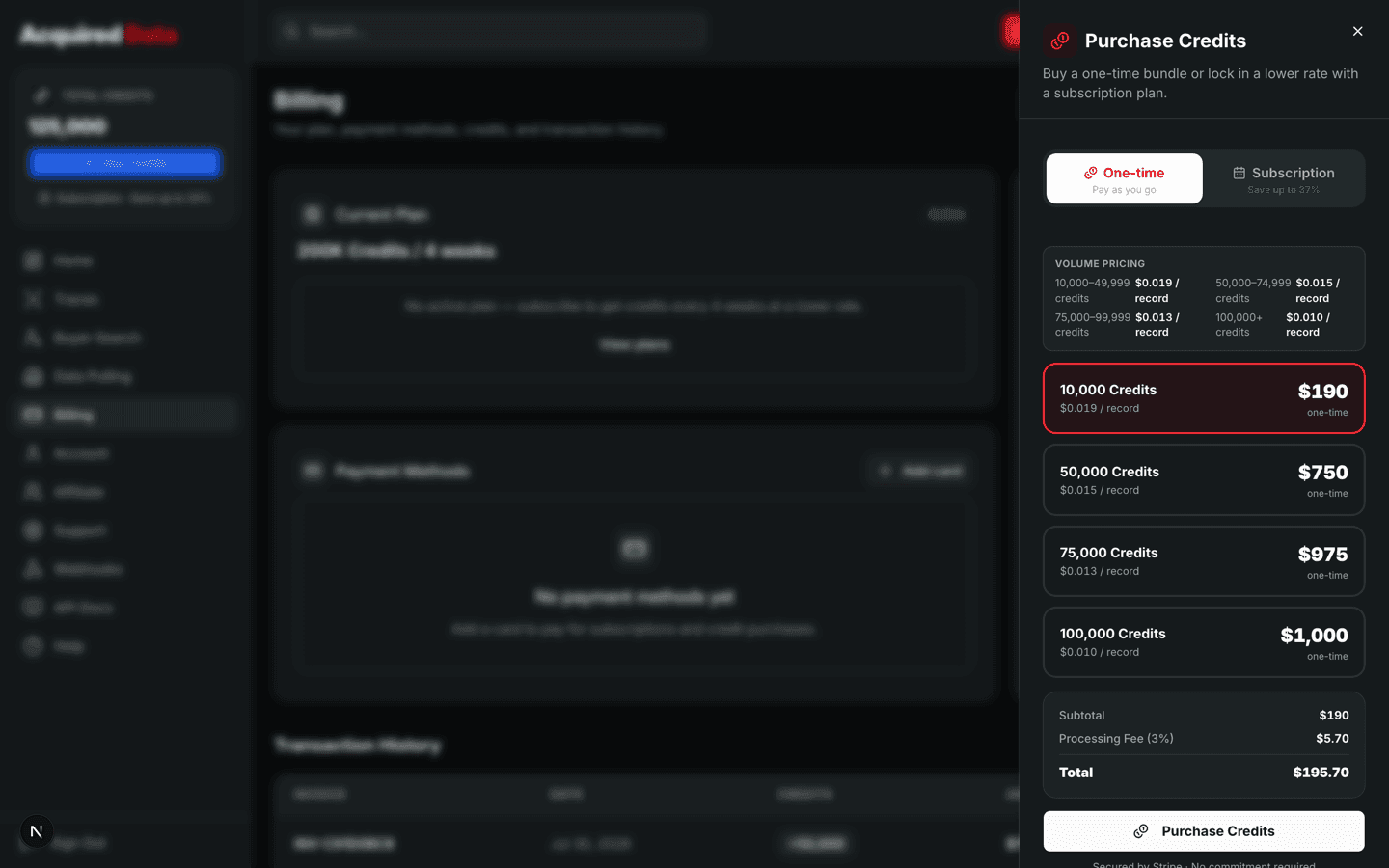
The rule of thumb: predictable monthly volume favors a subscription; spiky or occasional usage favors packs, because those credits sit in your account indefinitely. You can also combine them — subscribe for your baseline and top up with packs in heavy months.
The two buckets
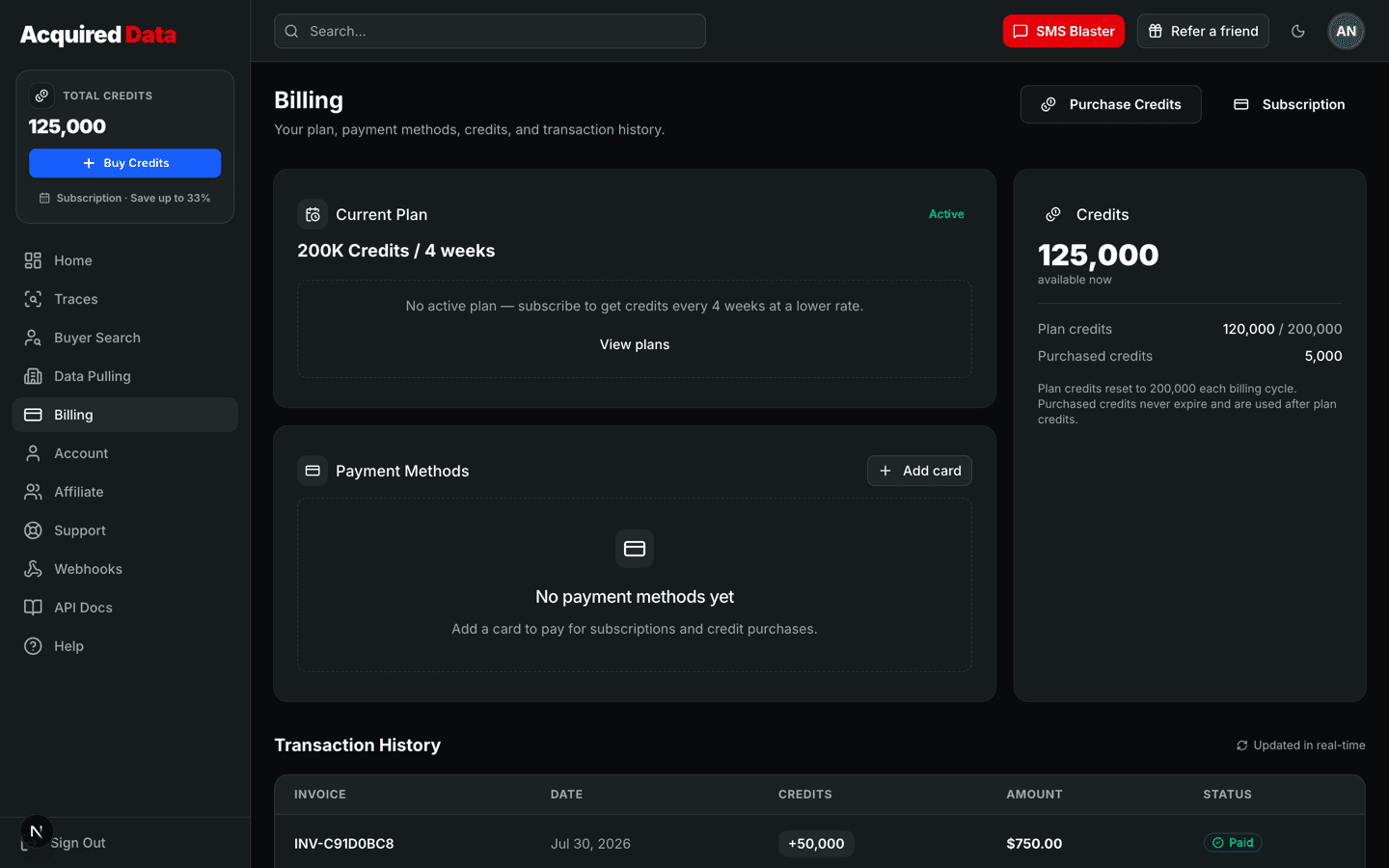
Your balance is really two buckets. Monthly credits come from a subscription and reset each billing cycle. Purchased credits come from packs and persist until spent. When you run a job, monthly credits are drawn down first — the expiring bucket before the permanent one — so subscribers never waste pack credits on usage a subscription would have covered. Your balance page and GET /api/v1/me both show the split.
When credits come back — and when they don't
Credits are charged up front when you submit work. Refunds are automatic in three cases:
- Failed jobs. If a job errors out, every credit it charged is returned. No support ticket needed.
- Shortfalls. If a job delivers fewer billable records than you were charged for, the difference is refunded automatically.
- Unmatched enrichment. Enrichment lookups that find no match refund their credits.
The honest exception: unmatched rows in a bulk skip trace are not refunded. Each row costs 1 credit whether or not it matches, because the matching attempt itself is the work being performed. With an advertised 98% match rate the unmatched slice is small, but it's real, and you should budget for it rather than be surprised by it. If a specific record matters enough that you only want to pay on match-quality terms, that's a reason to review results before re-running rather than blindly re-tracing.
Reading your invoice history
Every purchase — packs and subscription charges — lands in your invoice history in the billing section of the dashboard, alongside a ledger of credit movements: charges when jobs start, refunds when the automatic cases above fire. If a number in your balance ever looks off, the ledger is the place to reconcile it; every credit in or out has a row.
Next steps
For plan details, checkout flow, and managing your subscription, see the credits and billing guide.
Keep reading
What Is Skip Tracing in Real Estate? A 2026 Guide
What skip tracing is, why property lists go cold, how modern data matching works, and what a good trace actually returns.
Read →StrategyThe 10 Best Uses of Skip Tracing in Real Estate
Skip tracing is more than cold-call fuel. The ten highest-ROI ways investors use owner contact data, from absentee lists to reviving dead leads.
Read →StrategyWhy Skip Tracing Makes or Breaks a Wholesaling Business
Wholesaling is a speed and contact-rate game. How skip tracing quality flows through to deals, and the four places bad data quietly kills margins.
Read →